Choose your target
Enter a public host or IP address, then choose the TCP port you want to check.
A clearer view of your network
See how your server connects across the globe. Test TCP reachability, compare regional latency, and take control of DNS — all from your phone.
Free download for iPhone, iPad & Android
Explore the app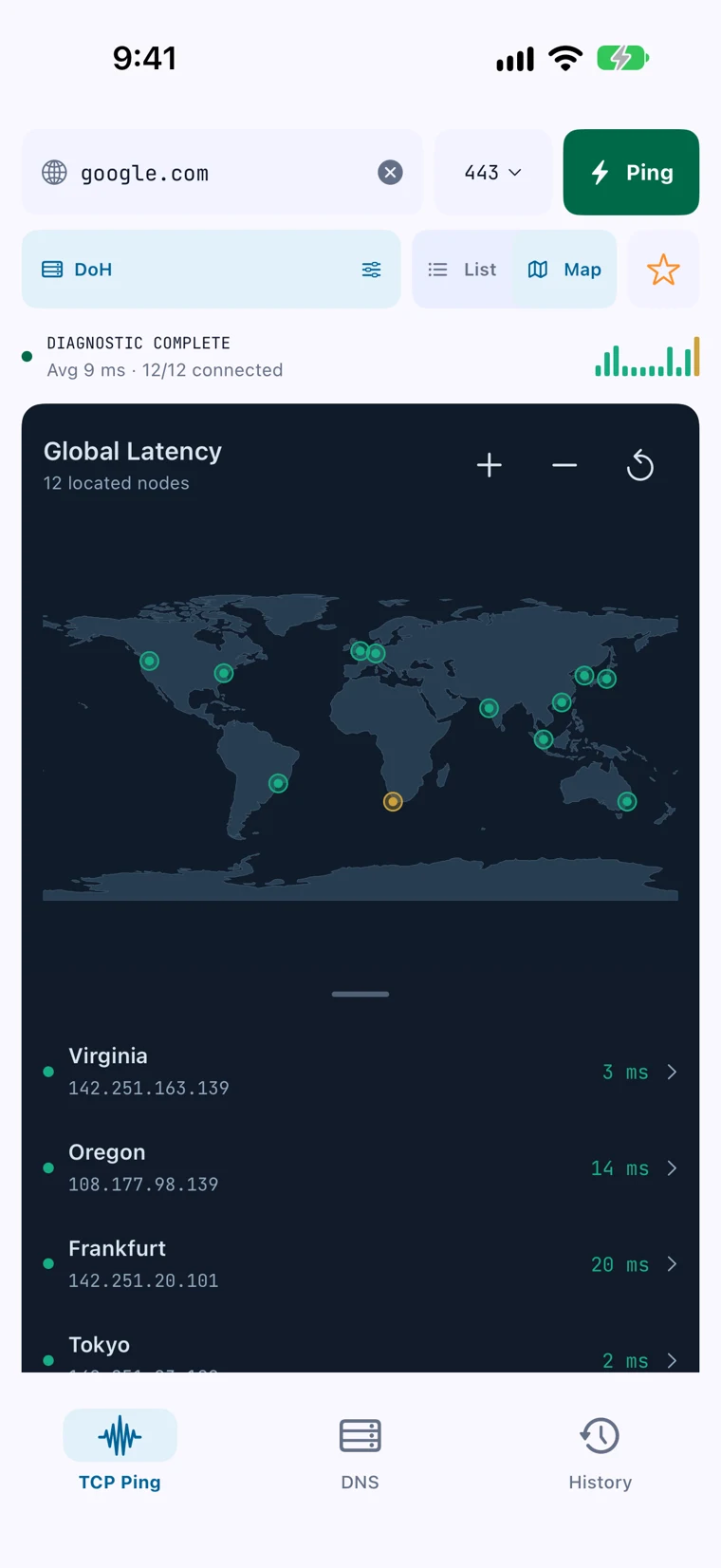
MEET YOUR NEW NETWORK TOOLKIT
From the big picture to a single connection, the details are right where you need them.
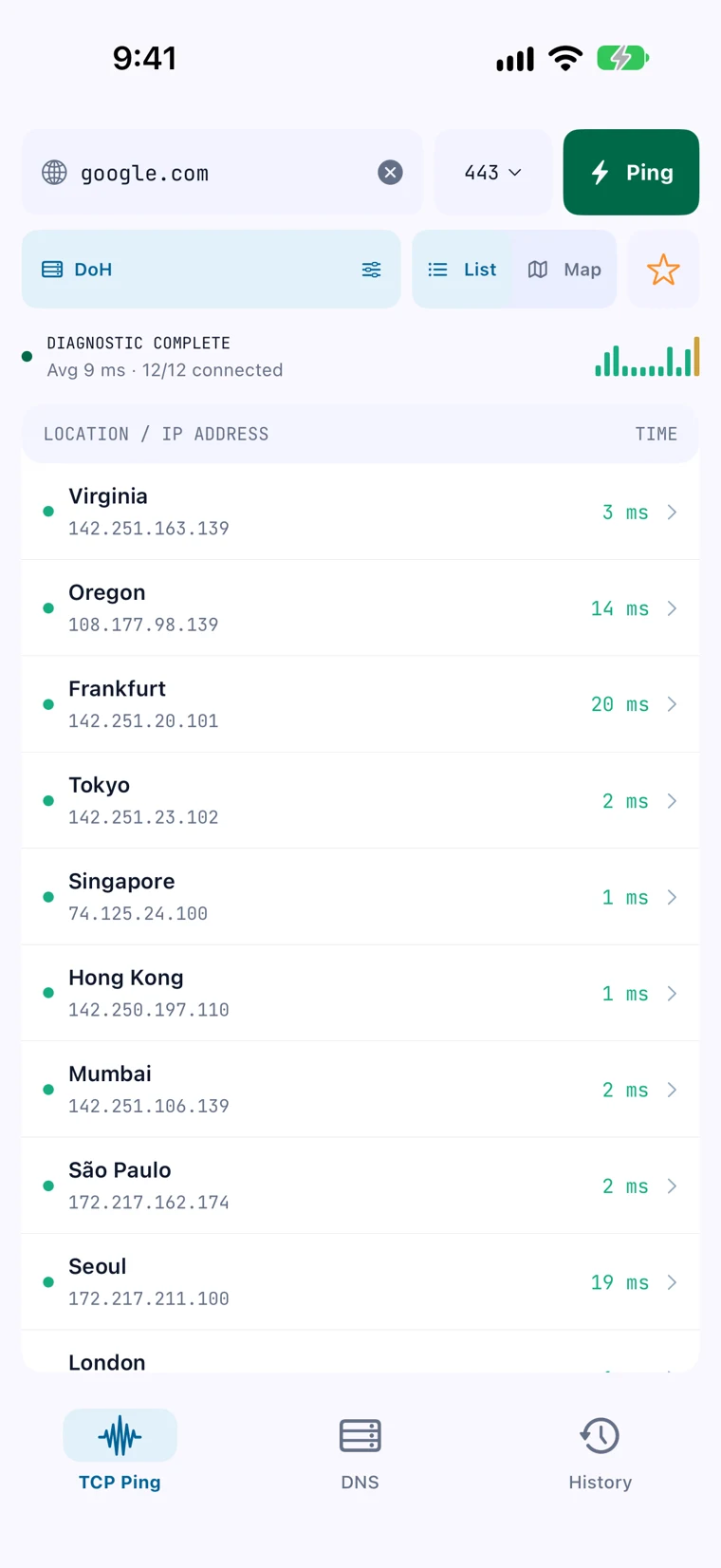
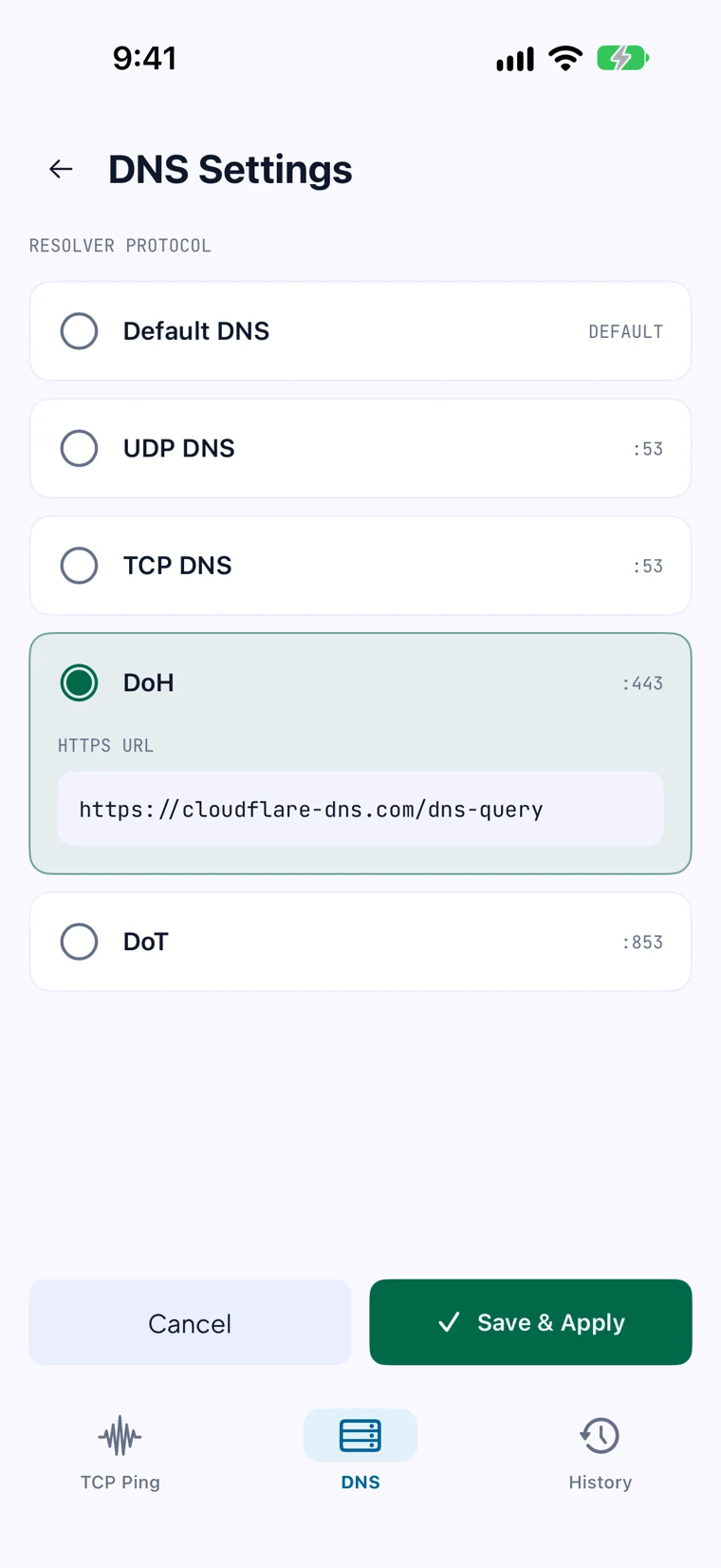
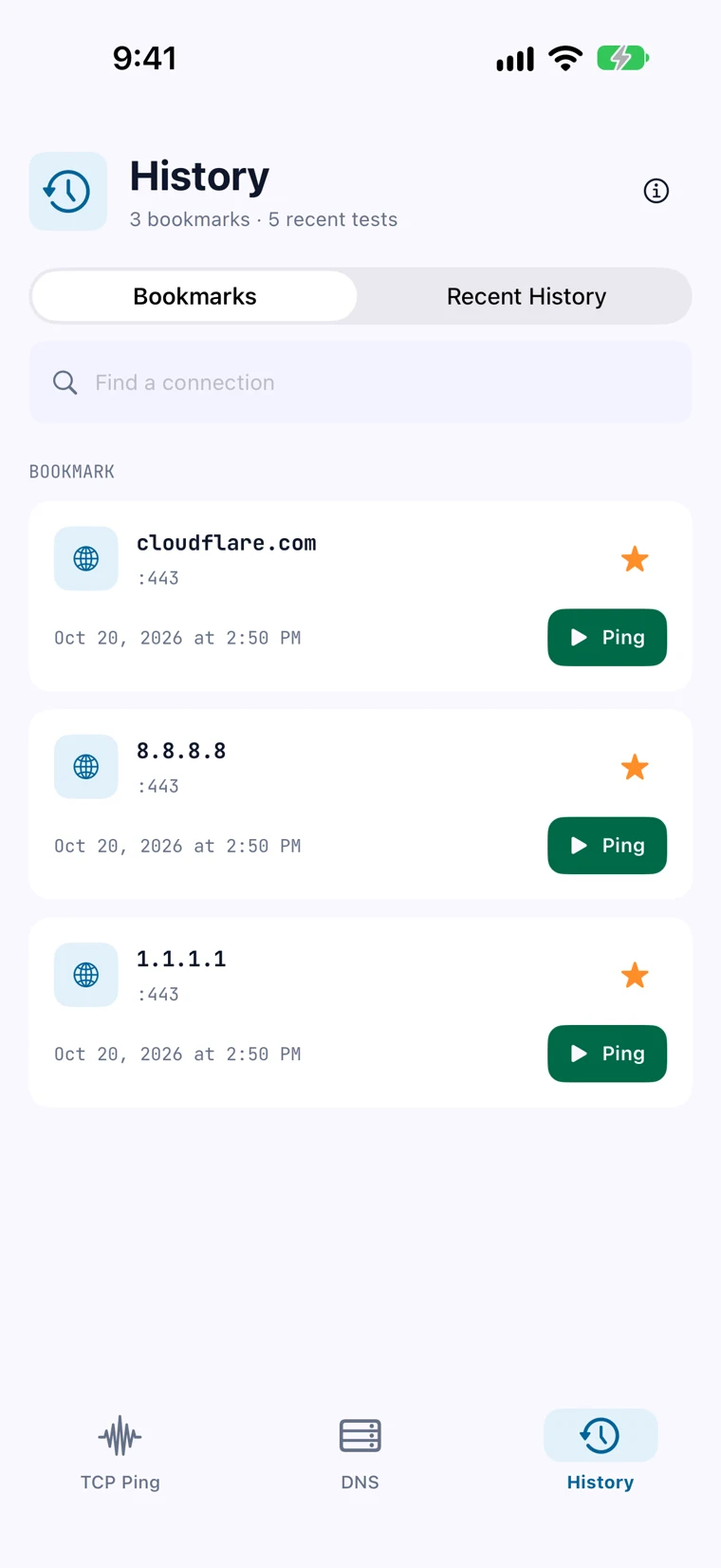
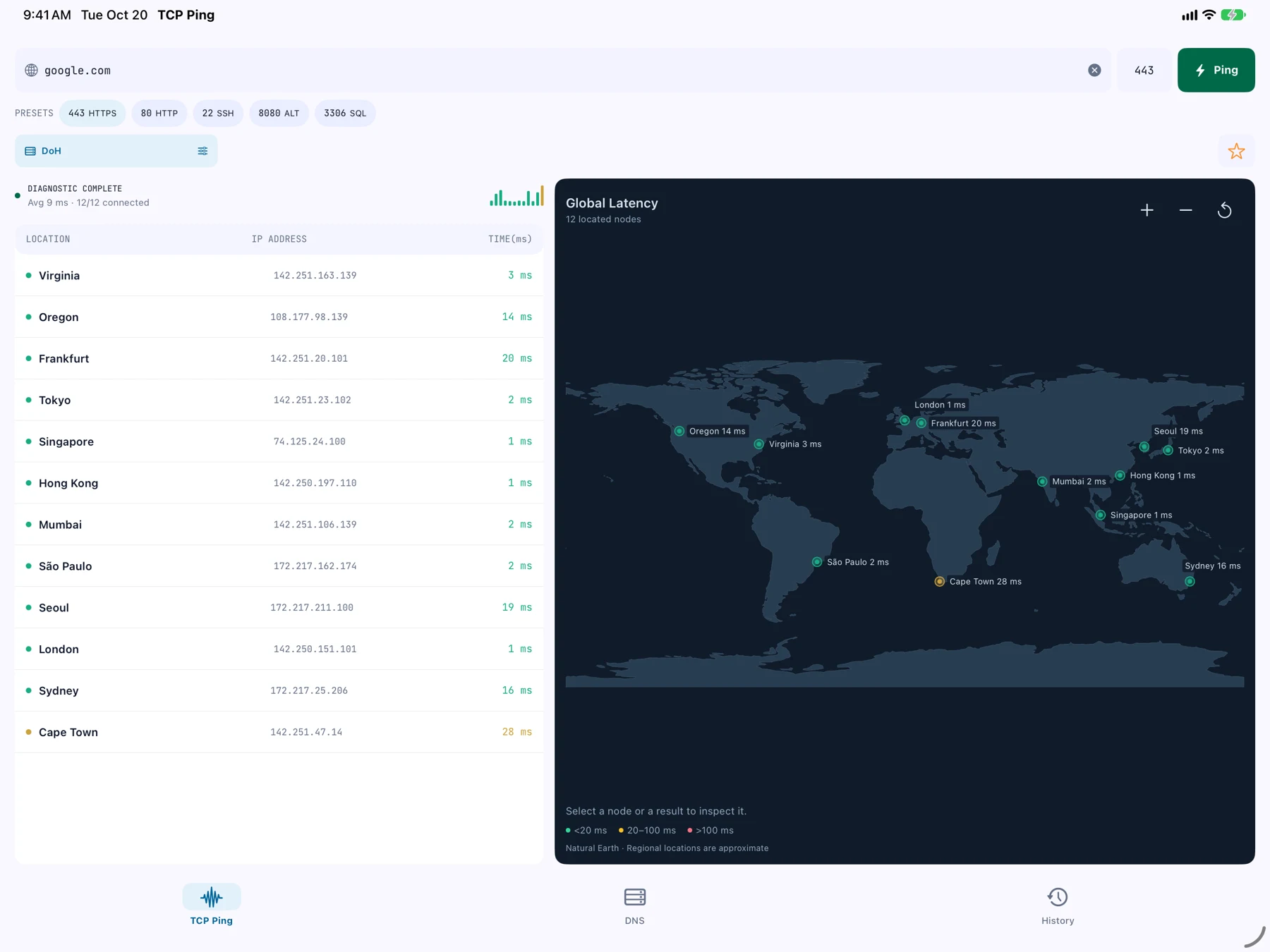
Actual iOS app screens. Results shown are from a completed test; latency varies by host and region.
FROM QUESTION TO ANSWER
Enter a public host or IP address, then choose the TCP port you want to check.
Watch regional results arrive and explore them on the map or in the list.
Revisit saved results in History and bookmark the targets you use most.
ROOM FOR THE BIG PICTURE
The same focused experience, with more room to explore on iPad. Your target, map, and regional results stay together.
GOOD TO KNOW
TCP Ping checks whether a connection can be established to a host on a specific TCP port and reports the connection latency. It helps you understand service reachability; it is not an internet speed test.
This website introduces the TCP Ping app. To run a test, download the app for iPhone, iPad, or Android, enter a public host or IP address, and choose the TCP port you want to check.
A timeout means a probe could not establish a TCP connection to the selected host and port within the time limit. Possible causes include firewall rules, an unavailable service, or network routing problems. A timeout alone does not identify the cause.
Remote probes run from multiple regions. The app shows the regions and results returned for each test, so you can compare how the same target responds from different locations.
TCP Ping is available on the App Store for iPhone and iPad, and on Google Play for Android. The screenshots on this page show the new iOS interface. Store availability and feature versions may vary by platform.

GET A LITTLE MORE CLARITY
Your next network question starts with a ping.
Free download for iPhone, iPad & Android